Screenshot Translator — Translate Any Screenshot with AI
Game UI, chat bubbles, app screens, social posts — translated in seconds, 130+ languages
Drop images here or click to browse
JPG, PNG, WebP · Up to 30 files
Max 20 MB
How to Translate a Screenshot
From capture to translation in three quick steps
Take a Screenshot
Capture any screen — game UI, chat conversation, app interface, social post or error message. PNG, JPG, or WebP all work.
Upload and Detect
Drag and drop up to 30 screenshots at once. AI auto-detects the source language — Japanese, Korean, Chinese, Arabic and more.
Copy or Download
Get the translated text to copy instantly, or download the screenshot with translations overlaid directly on the image.
Translate Game & App Screenshots That No Other Tool Handles
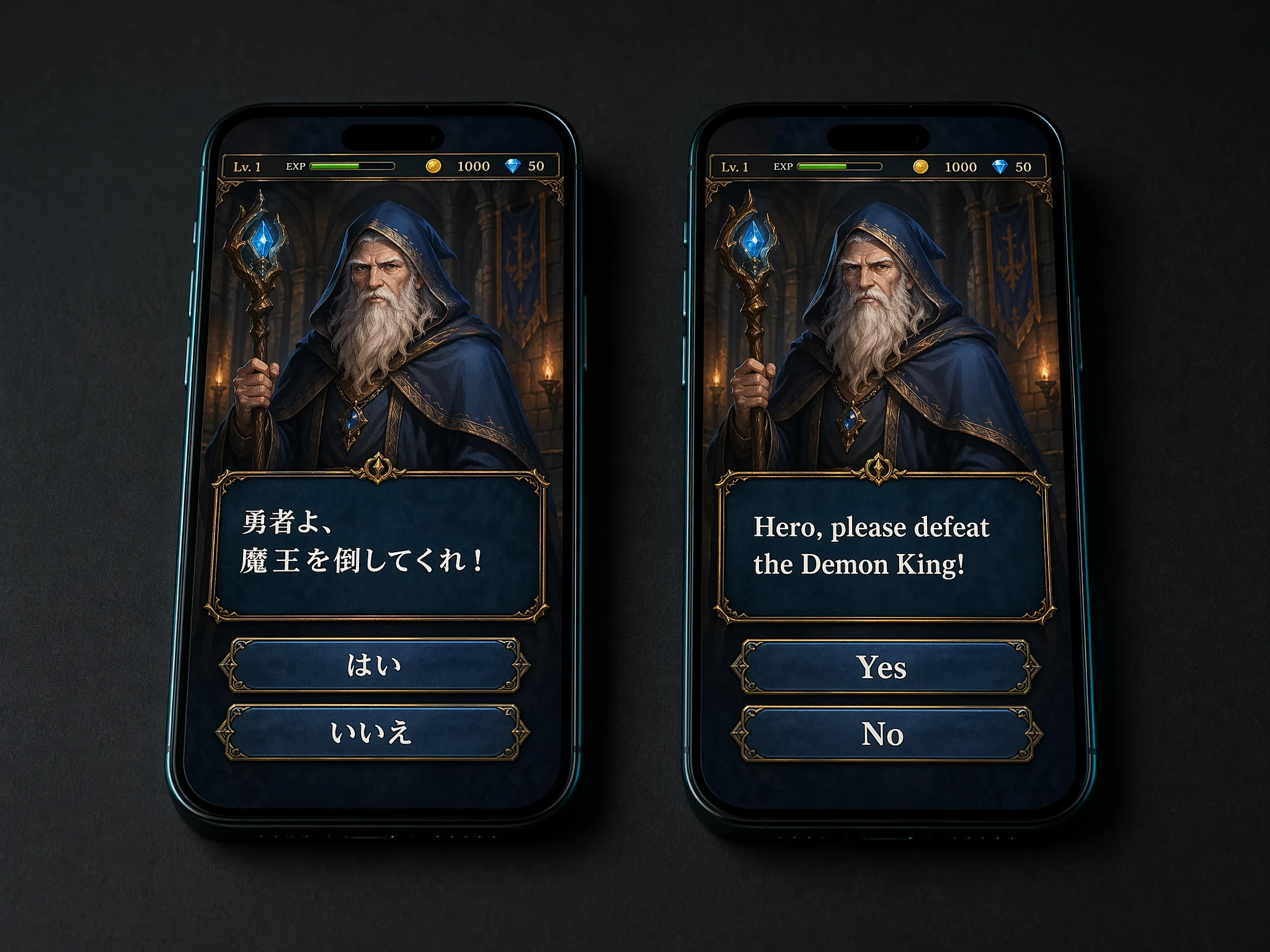
Japanese JRPGs, Korean MMOs, Chinese gacha games and untranslated indie titles often have no English option. Capture the screen, upload it here, and finally understand what the menu, quest log or dialogue box is saying.
- Dialogue boxes, menus and item tooltips read accurately
- Stylized game fonts and vertical Japanese text supported
- Great for JRPGs, visual novels, gacha and mobile games
Translate Chat App and Social Post Screenshots
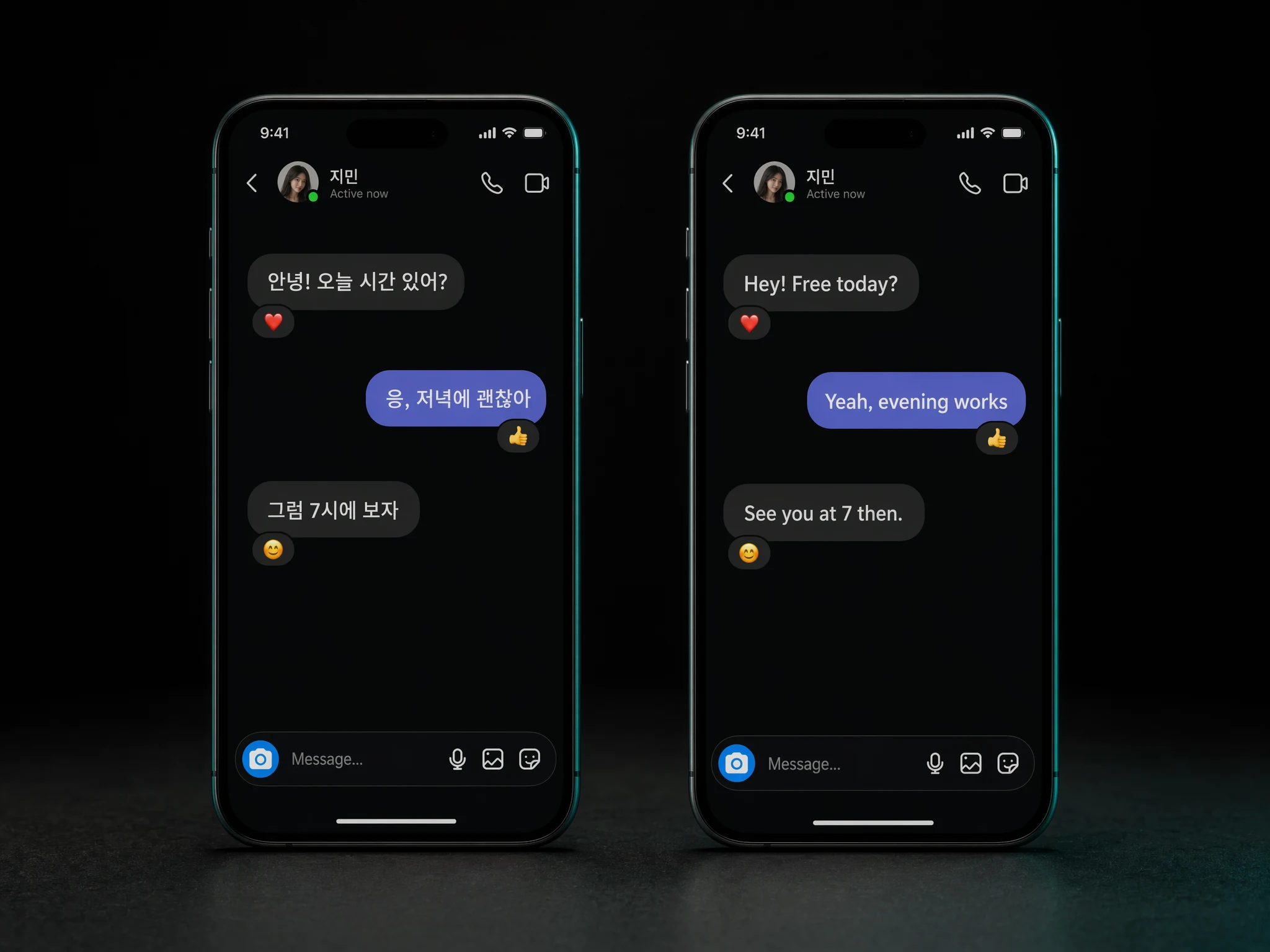
Got a chat screenshot in a language you do not read? Forward or upload it here. We recognize each chat bubble separately, keep the conversation order, and translate every line — ideal for international relationships, fan communities and business chats.
- Chat and messaging app screenshots supported
- Social media post screenshots
- Preserves chat order and who said what
Why TransAgent Is the Best Screenshot Translator
Designed for real-world screenshots — games, chats, apps and error dialogs
Reads Tight UI Text
Menus, buttons, dialog boxes and tooltips with tiny fonts are recognized accurately — even in densely packed game HUDs and mobile app screens.
Game & App Friendly
Handles stylized game fonts, chat bubbles, speech balloons, pop-up dialogs and foreign OS error messages that Google Translate misses.
130+ Languages
Translate Japanese game UI, Korean chat screens, Chinese messaging apps, Arabic social posts — auto-detection included.
Batch Up to 30 Images
Upload a whole tutorial series, a chat log, or a set of app store screenshots in one go. Every image processed in parallel.
Private & Secure
Screenshots are encrypted in transit, processed in memory, and deleted right after translation. Your chats and games stay private.
Transparent Pricing
Pay 1 credit per screenshot. No subscription. Start with 3 free credits on sign up — perfect for testing a game or chat log.
Frequently Asked Questions about Screenshot Translation
Games, chats, apps and error messages — everything you need to know
Translate Your First Screenshot Now
3 free credits on sign up. 1 credit per screenshot. Batch up to 30 at a time.