
Scanned PDF Translator — OCR + AI Translation
Translate scanned PDFs, phone photos, and archived documents into 130+ languages
Drop your PDF here or click to browse
PDF · 1 credit per page
Max 100 MB
How to Translate a Scanned PDF
From paper or phone camera to translated DOCX in three steps
Scan or Photograph Your Document
Use a scanner, phone camera, or any image-based PDF. 200+ DPI works great, but we handle lower-quality scans too.
Upload and Pick a Language
Drop the scanned PDF or JPG into TransAgent and select one of 130+ target languages. Source script is auto-detected.
OCR Reads and Translates
Our OCR engine extracts text from every page — including multi-column layouts — then translates it with AI.
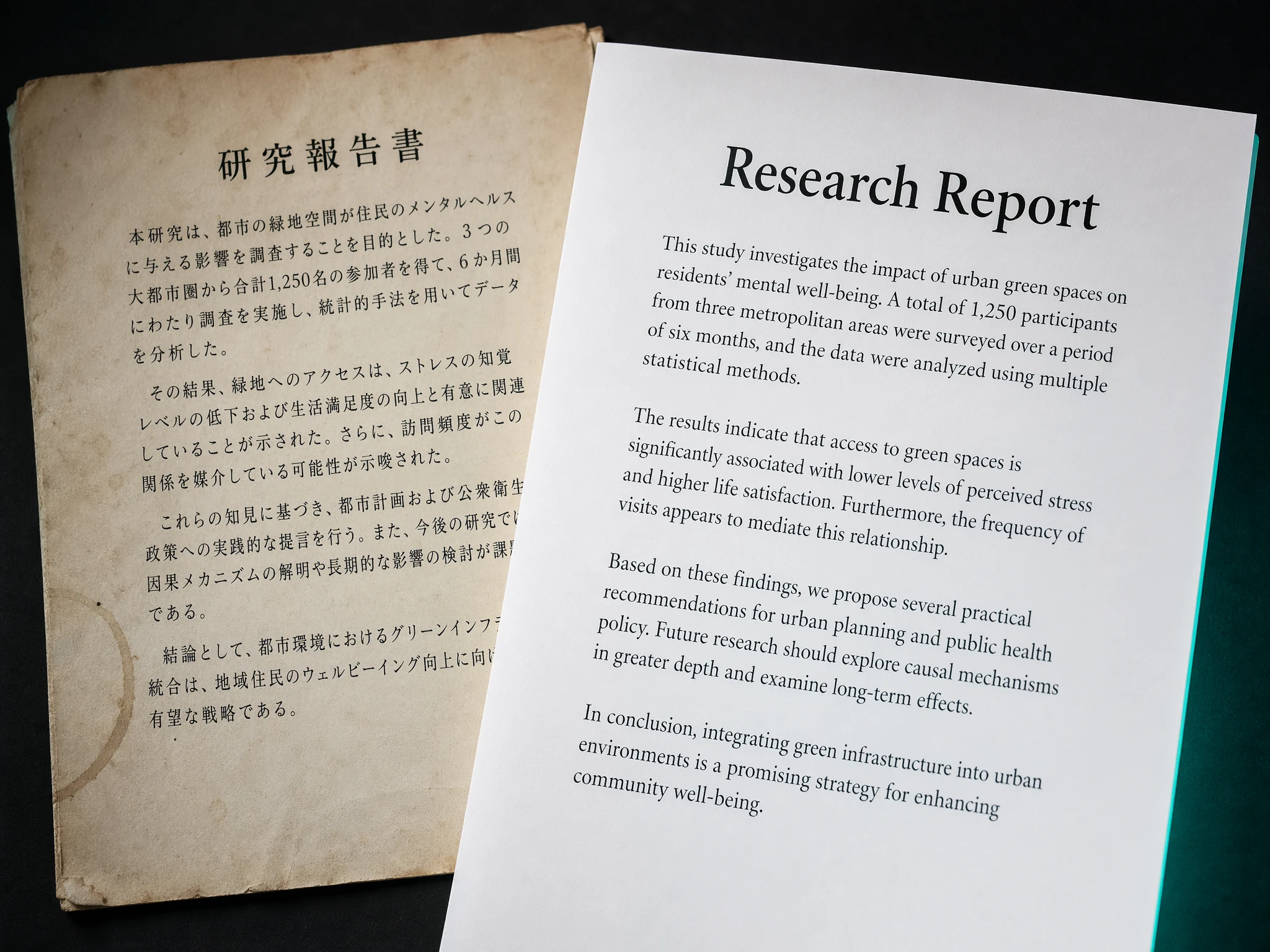
Read Scans Other Translators Reject
Most PDF translators silently skip scanned pages or return garbled text. TransAgent runs a dedicated OCR pipeline that de-skews, de-noises, and recognises text — then feeds it into the AI translator so the result reads naturally.
- Automatic de-skew, de-noise, and contrast correction
- Recognises faint ink, yellowed paper, and photocopy artefacts
- Works with JPG, PNG, and image-based PDFs
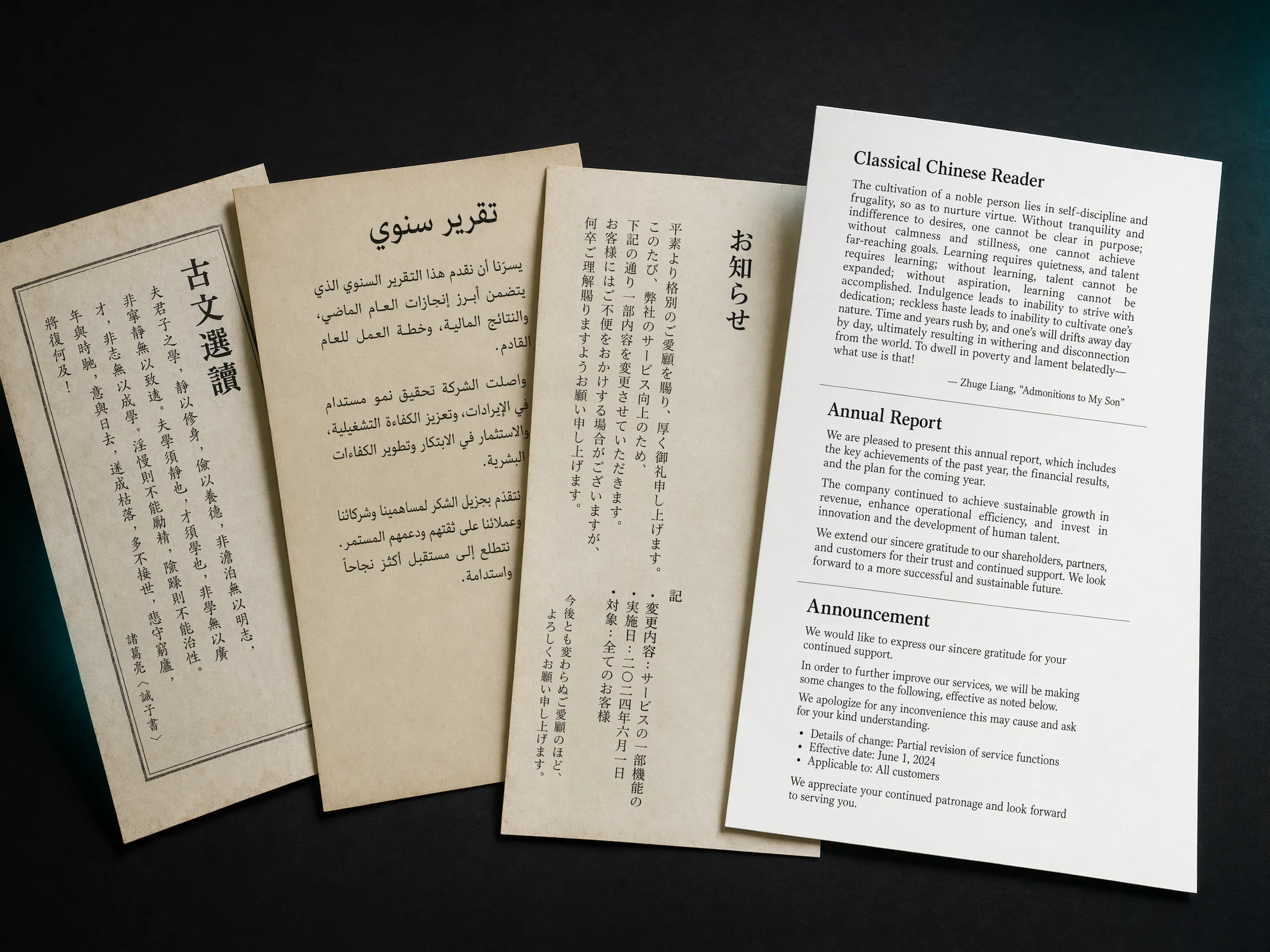
Chinese, Japanese, Arabic — Scanned and Translated
CJK and Arabic scanned documents are the hardest for OCR because their strokes are dense and context-sensitive. Our engine is trained on millions of real-world scans of these scripts, so legal contracts and research papers come through intact.
- Chinese (Simplified & Traditional), Japanese, Korean
- Arabic, Hebrew, Persian with right-to-left support
- Thai, Hindi, Tamil, and other complex scripts
Why TransAgent Is the Best Scanned PDF Translator
Designed for real-world documents — not just clean digital PDFs
High-Accuracy OCR
Purpose-built OCR recognises faint ink, skewed pages, and compression artefacts that break typical PDF translators.
CJK and Arabic Scripts
Reads scanned Chinese, Japanese, Korean, Arabic, Hebrew, Thai and Hindi documents where most OCR engines fail.
Phone Photos Accepted
Snap a picture of a contract or menu with your phone — we auto-deskew, de-noise, and translate it.
Multi-Column Layouts
Research papers, newspapers, and government forms with complex columns are read in the correct reading order.
Archived & Aged Documents
Yellowed paper, faded carbon copies, and 1980s dot-matrix printouts are cleaned up before OCR runs.
Private & Encrypted
Scanned files are encrypted in transit, processed in isolated memory, and deleted automatically. Never used for training.
Scanned PDF Translation FAQ
Everything you need to know about OCR and scanned document translation
Translate Your First Scanned PDF Now
3 free credits on sign up. OCR included. 1 credit per page — no subscription.